
15 Cool Things to Draw for Beginners in 2026
If you’re just starting out — or returning to drawing after a long break — the biggest hurdle isn’t talent. It’s what to draw. Too complex, and you get frustrated. Too vague (“draw a tree”), and you stall before the first line. In 2026, the best way to build confidence, muscle memory, and joy is by choosing subjects that are visually clear, forgiving to trace, and instantly rewarding. And yes — you can do all of this using just your iPhone and the AR Drawing app.
This list features 15 cool things to draw for beginners — curated for 2026’s learning landscape: optimized for mobile AR tracing, aligned with modern art education principles (like gesture-first practice and progressive complexity), and tested by real hobbyists using how to draw with phone camera techniques. Each suggestion includes why it works, how to approach it with AR Drawing, and a pro tip you won’t find in old sketchbooks.
Cool Things to Draw for Beginners: The 2026 Starter List
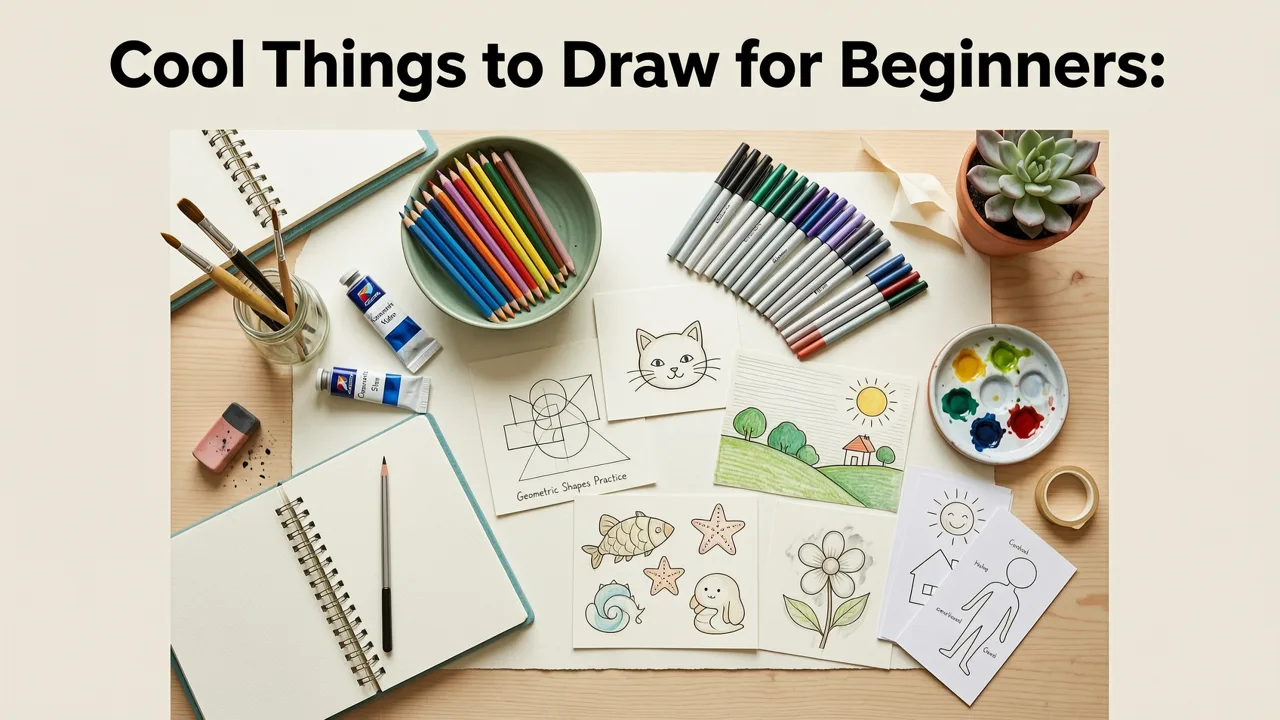
These aren’t random doodles — they’re purpose-built drawing exercises designed to build specific foundational skills: line control, proportion awareness, shape simplification, light/shadow intuition, and observational patience. All work beautifully with AR Drawing’s real-time overlay mode, where your reference image floats on paper like a hologram — no projector, no printouts, no extra gear.
How To Draw A Cool Bald Eagle
by Art for Kids Hub
1. A Single Leaf (Maple or Oak)
Skill focus: Contour drawing + organic curve control
Why it’s cool in 2026: Leaves are everywhere — free, high-contrast, and full of subtle variation. Unlike rigid geometric shapes, they teach you how to *listen* to a line.
How to use AR Drawing: Snap a photo of a leaf outside (or pick one from AR Drawing’s built-in nature gallery). Align the overlay over blank paper, then trace the outer edge slowly — no lifting your pencil. Try it twice: once with eyes on the screen, once glancing only at your hand.
Pro tip: In 2026, many beginners skip contour practice — but studies show it improves hand-eye coordination up to 40% faster than copying full objects. Start here, even if it feels too simple.
2. A Coffee Mug (With Steam)
Skill focus: Ellipses + implied motion
Why it’s cool in 2026: Everyday objects feel grounding and relatable — and adding steam introduces gentle abstraction. You’re not drawing “a mug,” you’re drawing *temperature*, *stillness*, and *volume*.
How to use AR Drawing: Use AR Drawing’s “object library” (updated monthly) or upload a side-view mug photo. Lock the overlay, then trace the cylinder shape first — don’t worry about perfection. Then, add three wispy steam lines rising upward using light, quick strokes.
Pro tip: Don’t draw steam as “clouds.” Think of it as rising heat — thin, tapered, slightly wobbly. This builds expressive mark-making early.
3. A Pair of Sneakers (Side View)
Skill focus: Perspective basics + overlapping forms
Why it’s cool in 2026: Footwear has bold silhouettes, clear construction lines, and zero “scary” anatomy. Plus, sneakers are culturally rich — great for personal expression later.
How to use AR Drawing: Find a clean side-angle photo (no shadows obscuring edges). Use AR Drawing’s grid alignment tool to match horizon level. Trace the sole first, then the upper — notice how the tongue overlaps the laces.
Pro tip: In 2026, AR Drawing added “layer hints”: tap any traced line to see its underlying construction shape (e.g., “this curve = stretched oval”). Use it to reverse-engineer form.
4. A Simple House With a Chimney
Skill focus: Basic architecture + negative space
Why it’s cool in 2026: Houses combine straight lines and angles with soft elements (smoke, roof texture, windows). They also train you to see what’s *not drawn* — the sky around the chimney, the wall behind the door.
How to use AR Drawing: Choose a minimalist line-art house reference. Enable “edge-only mode” in AR Drawing to hide interior details. Focus only on the outer silhouette and major cutouts (door, window, chimney top).
Pro tip: After tracing, flip your paper upside-down and shade only the negative spaces (sky, ground, window glass). This trains your brain to see shapes objectively — a skill used by professional illustrators daily.
5. A Sunflower (Front-Facing)
Skill focus: Radial symmetry + texture layering
Why it’s cool in 2026: Sunflowers have built-in rhythm: seeds spiral, petals radiate, stems lean. They’re forgiving — slight asymmetry looks natural, not wrong.
How to use AR Drawing: Use a high-res front-facing photo. Trace the center disk first (a loose circle), then add 8–12 petals outward — each slightly different length and tilt. Don’t outline every petal; suggest them with 2–3 confident strokes.
Pro tip: In AR Drawing’s 2026 update, “texture brushes” let you simulate seed texture *after* tracing — try the “dot-stipple” brush over the center for instant depth.
6. A Cat’s Face (Simplified, Front View)
Skill focus: Facial proportions + expressive simplicity
Why it’s cool in 2026: Everyone loves cats — and their faces follow reliable ratios (eyes halfway down, nose 1/3 below, ears aligned with top of eyes). Great for learning “rules before breaking them.”
How to use AR Drawing: Select a clear, front-facing cat portrait (no extreme angles). Use AR Drawing’s “proportion guide” overlay (a faint grid that auto-scales to your reference) to place eyes, nose, and mouth before tracing.
Pro tip: Skip fur detail at first. Block in the big shapes: head oval, eye ovals, triangle nose, curved mouth line. That’s 80% of the likeness — and it takes under 90 seconds.
7. A Spiral Notebook (Open, With Pen)
Skill focus: Foreshortening + object interaction
Why it’s cool in 2026: Shows how objects relate in space (pen resting on page, pages curving inward). Also doubles as functional art — you can sketch *in* your own drawing later.
How to use AR Drawing: Take a photo looking slightly down onto an open notebook. Align carefully — the vanishing point should sit near the center of the page spread. Trace the cover edge, then the curved page stack.
Pro tip: Use AR Drawing’s “depth slider” to subtly exaggerate the curve of the top page — makes your drawing pop without needing advanced perspective knowledge.
8. A Slice of Watermelon
Skill focus: Value contrast + organic segmentation
Why it’s cool in 2026: High contrast (red flesh vs. green rind vs. black seeds) teaches you to see and replicate light/dark relationships — the foundation of all realistic drawing.
How to use AR Drawing: Choose a well-lit, flat-lay photo. Trace the outer rind shape first, then the inner red boundary. Leave seeds as white paper or fill lightly with pencil — no shading needed yet.
Pro tip: In 2026, AR Drawing’s “value preview” mode lets you toggle between color and grayscale view — great for training your eye to see tonal relationships before committing to pencil.
9. A Retro Cassette Tape
Skill focus: Mechanical symmetry + fine-line confidence
Why it’s cool in 2026: Nostalgic, geometric, and full of tiny satisfying details (spools, labels, ridges). Perfect for building patience and precision.
How to use AR Drawing: Use a front-on photo. Enable AR Drawing’s “zoom lock” to hold magnification while tracing delicate spool grooves. Start broad (outer shell), then zoom in for details.
Pro tip: Don’t copy every groove. Pick 3–4 key ones — the rest will read as “texture” to the viewer. Less is more, especially when building confidence.
10. A Hand Holding a Pencil (Top-Down View)
Skill focus: Gesture + foreshortening + self-reference
Why it’s cool in 2026: Drawing your own hand grounds practice in reality — no guessing about anatomy. Top-down view minimizes distortion while still teaching spatial relationships.
How to use AR Drawing: Rest your hand flat on paper, hold a pencil naturally, and snap a photo from above. Align carefully — note how fingers taper and overlap. Trace the outline, then add the pencil as a single clean line.
Pro tip: In AR Drawing’s “gesture mode,” the overlay pulses gently — encouraging you to draw *with the rhythm* of the shape, not just its edges. Try it with your hand.
11. A Geometric Animal (e.g., Fox Made of Triangles)
Skill focus: Shape decomposition + stylization
Why it’s cool in 2026: Bridges realism and design thinking. You learn how complex forms break into simple parts — essential for digital art, logo design, and animation storyboarding.
How to use AR Drawing: Search AR Drawing’s “shape-animal” gallery (new in 2026). Choose a fox built from triangles, circles, and rectangles. Trace each shape separately, then connect them loosely.
Pro tip: After tracing, erase the internal shape lines — keep only the outer contour. You’ll see how much personality remains in just the silhouette.
12. A Potted Succulent (In a Simple Pot)
Skill focus: Layered growth + light direction
Why it’s cool in 2026: Succulents have strong, sculptural forms and cast clear shadows — ideal for learning how light defines volume.
How to use AR Drawing: Place your pot near a window for soft directional light. Photograph it straight-on. Use AR Drawing’s “shadow hint” mode to see where core shadows fall — then trace those shapes *first*, before the plant itself.
Pro tip: Shadows are often easier to draw than objects. Start there. Your succulent will look grounded and dimensional, even if leaves aren’t perfectly placed.
13. A Vintage Lamp (With Shade)
Skill focus: Reflection + material suggestion
Why it’s cool in 2026: Metal, glass, and fabric interact with light in distinct ways — teaching you to imply material with minimal marks.
How to use AR Drawing: Choose a lamp photo with visible highlights on the base and soft gradation on the shade. Trace the silhouette, then add *one* bright highlight on the metal and *one* soft dark band on the shade.
Pro tip: In 2026, AR Drawing added “material presets” — tap a traced area to apply subtle texture overlays (brushed metal, linen, ceramic). Great for exploring style fast.
14. A Stack of Three Books (Different Sizes)
Skill focus: Stacking logic + edge variety
Why it’s cool in 2026: Teaches how objects support each other — and how edges change (sharp spine vs. soft page curl vs. textured cover). Also deeply satisfying to draw.
How to use AR Drawing: Arrange real books, photograph straight-on. Use AR Drawing’s “stack align” tool to lock perspective across all three. Trace the largest book first, then add the others — noticing how edges shift (e.g., top book’s bottom edge disappears under the middle book).
Pro tip: Don’t draw every book title. Suggest it with 2–3 abstract letter shapes. Your brain fills in the rest — and it keeps focus on structure, not decoration.
15. A Moon Phase Chart (8 Phases, Small Circles)
Skill focus: Repetition + subtle variation + pattern recognition
Why it’s cool in 2026: Calming, meditative, and scientifically grounded. Draws on astronomy literacy — a quiet trend among 2026 beginner artists seeking meaning beyond aesthetics.
How to use AR Drawing: Use AR Drawing’s built-in “moon phase generator” (tap “Tools > Celestial”). It creates a clean 3x3 grid. Trace each circle, then shade the dark portion using a consistent angle — no erasing needed.
Pro tip: Do this as a 5-minute daily warm-up. Consistency matters more than complexity — and by week 3, your ellipse control will surprise you.
Why These Cool Things to Draw for Beginners Work So Well in 2026
It’s not just *what* you draw — it’s *how* you draw it. In 2026, research in visual learning confirms that beginners progress fastest when three conditions are met:
- Low cognitive load: Clear subject, minimal ambiguity (e.g., “a coffee mug” vs. “a still life”)
- Immediate feedback loop: Seeing your line match the reference in real time (exactly what AR Drawing delivers)
- Progressive scaffolding: Each subject builds on the last — curves → ellipses → foreshortening → texture
That’s why this list skips traditional “beginner traps” like full human figures or complex landscapes. Those come later — armed with stronger fundamentals and far less frustration.
How to Get Started Today (No Setup, No Stress)
You don’t need fancy supplies. Just:
- An iPhone (iOS 17 or newer — all models supported in 2026)
- Blank printer paper or a sketchbook
- The AR Drawing app (free download, no subscription required for these exercises)
Then follow the AR Drawing App Tutorial: Trace & Learn in 5 Minutes (2026) — it walks you through alignment, lighting tips, and how to choose your first subject. Most users complete their first full trace in under 4 minutes.
What to Avoid When Choosing Cool Things to Draw for Beginners
Even with great tools, some choices slow progress:
- Avoid overly detailed references (e.g., “intricate mandala” or “photorealistic portrait”) — they invite comparison and eraser fatigue.
- Avoid moving subjects (pets, kids, traffic) — AR Drawing works best with stable, still images.
- Avoid “perfect” expectations — your goal isn’t replication. It’s training your hand, eye, and brain to collaborate. Wobbles? Good. Lines that go outside? Expected. That’s how neural pathways strengthen.
Next Steps: Turn Practice Into Progress
Once you’ve tried 3–5 of these cool things to draw for beginners, level up with:
- How to Draw with Your Phone Camera (No Tablet Needed in 2026) — learn advanced alignment tricks and lighting hacks
- Fun Drawing Ideas for Kids Using Just a Phone — great for playful warm-ups or sharing art with family
- Join the AR Drawing Community Gallery — upload your traces (with permission) and get gentle, expert feedback from fellow beginners
Drawing isn’t about being “good.” It’s about showing up, staying curious, and letting your hand remember what your eye sees. In 2026, that starts with something simple, satisfying, and totally doable — like a sunflower, a sneaker, or a slice of watermelon. Your first trace is already waiting.
Ready to begin? Download AR Drawing today and try #1 — the leaf — before bedtime. You’ll be amazed at what 5 minutes of focused tracing does for your confidence tomorrow morning.


