
Want to draw a cat step by step using AR — and actually get the ears aligned, the eyes symmetrical, and the whiskers evenly spaced — without staring at YouTube tutorials for hours? In 2026, you don’t need art school training or expensive gear. With AR Drawings, your iPhone becomes a precision tracing guide that overlays any cat photo onto your paper in real time — helping you build muscle memory, train hand-eye coordination, and sketch confidently from day one.
How to Draw a Cat Step by Step Using AR in 2026
Drawing a cat has long been a rite of passage for beginners: soft fur, expressive eyes, and those deceptively tricky curves demand both observation and control. But in 2026, the old ‘grid method’ or printed reference sheets are giving way to something smarter — augmented reality tracing. Unlike static guides, AR overlays adjust in real time as you move your phone, lock onto your paper’s surface, and adapt to lighting changes — all while keeping your hands free to draw.
This isn’t about bypassing skill — it’s about accelerating learning. Think of AR as your patient, always-available art coach: it doesn’t draw for you, but it shows you *exactly* where each line belongs — on your paper, in your hand, in real space.
HOW TO DRAW A CAT DRAWING STEP BY STEP FOR BEGINNERS (EASY AND SLOW)
by Cute Drawings for Beginners
Why AR Tracing Beats Traditional Cat Drawing Methods in 2026
Let’s be honest: most beginner cat drawing guides assume you already know how to eyeball angles, estimate scale, or hold a pencil steadily. But if you’re just starting out, that’s like trying to learn guitar by reading sheet music before touching the strings.
- Grids & projectors require extra hardware, calibration time, and often distort proportions when scaled.
- Printed references force constant head lifting and repositioning — breaking flow and introducing drift.
- Video tutorials teach technique in isolation, not application — and rarely match your exact pose or paper size.
AR Drawings solves this with context-aware overlay alignment: the app uses your iPhone’s LiDAR scanner (standard on all iOS devices released since 2023) and vision-processing algorithms updated for 2026 to anchor the cat image directly to your physical sketch surface — no tape, no rulers, no guesswork.
Step 1: Choose & Upload the Right Cat Photo
Not every cat photo works equally well for AR tracing. In 2026, AR Drawings includes an intelligent photo readiness score that analyzes contrast, edge clarity, and pose simplicity before you even hit ‘align’. Here’s what makes an ideal cat reference:
- Front-facing or 3/4 profile — avoids extreme foreshortening (e.g., full side view of a curled-up cat).
- Good lighting, minimal shadows — helps the AR engine detect key features like ear tips, eye rims, and nose bridge.
- High-contrast background — solid light wall or neutral backdrop improves tracking stability.
- Clear outline definition — avoid blurry motion shots or heavily filtered Instagram pics.
You can use your own photo, choose from AR Drawings’ curated Cat Reference Library (updated monthly with new poses), or search via built-in AI tags like “fluffy Maine Coon sitting,” “kitten looking up,” or “black cat silhouette.” All images are pre-optimized for AR overlay fidelity — meaning fewer recalibrations and smoother tracing.
Step 2: Set Up Your Workspace (It Takes 60 Seconds)
You don’t need a studio — just these three things:
- A flat, well-lit surface (a desk or table works best).
- A sheet of plain white or light-gray paper (avoid glossy or textured stock for first attempts).
- Your iPhone (iOS 17.5 or newer — required for 2026 AR stability updates).
Open AR Drawings → Tap + New Trace → Select your cat photo → Tap Start Setup.
The app walks you through three quick checks:
- Surface Scan (3 seconds): Point your camera down at the paper. The app maps its plane and detects edges.
- Brightness Calibration (2 seconds): Hold your finger over the paper — AR Drawings adjusts overlay opacity based on ambient light.
- Scale Lock (5 seconds): Tap two points on screen (e.g., tip of left ear to base of tail) — the app locks proportional scaling so your drawing matches real-world ratios.
That’s it. No measuring tapes. No sticky notes. Just tap, point, and go.
Step 3: Align the Overlay Precisely (The Secret to Accuracy)
This is where AR Drawings shines — and where most free apps fail in 2026. Alignment isn’t a one-time ‘set and forget.’ It’s dynamic:
- As you tilt your phone slightly, the overlay stays anchored to your paper — no jitter or float.
- If you lift your phone to check your progress, the app remembers your last stable frame and snaps back into place in under 0.8 seconds.
- Tap the Anchor Lock icon (a small pin) to freeze alignment while you trace complex areas like fur texture or paw pads.
Pro tip: Start with the outer contour — the head shape, chin curve, and shoulder line — before diving into eyes or whiskers. That establishes your foundation and prevents ‘drift stacking,’ where small errors compound across features.
Step 4: Trace with Confidence (No Erasing Required)
Here’s what changes everything in 2026: AR Drawings now includes Smart Line Guidance. As you draw near an edge — say, the curve of a cheek or the taper of an ear — the overlay subtly pulses and dims outside the target zone, gently nudging your hand toward accuracy.
It doesn’t draw for you. But it does help you feel the shape — turning visual input into kinesthetic feedback. You’ll notice faster improvement in:
- Proportional confidence — e.g., “the space between a cat’s eyes equals one eye width” becomes tangible, not theoretical.
- Line consistency — practicing the same curve 3x with live guidance builds neuromuscular memory far faster than redrawing from scratch.
- Patience & focus — because you’re not guessing, you’re responding — which reduces frustration and boosts creative stamina.
And yes — you can pause, zoom the overlay, toggle transparency (50% → 20% → outline-only), or switch to grayscale mode to reduce visual noise. All controls are thumb-accessible and designed for one-handed use while holding your pencil.
Step 5: Refine Without Starting Over
Once your basic trace is done, AR Drawings lets you layer refinement — no eraser fatigue required:
- Trace Mode → Sketch Mode: Tap to dim the overlay and switch to freehand refinement. The app keeps your original lines visible as faint gray guides.
- Fur Texture Assistant: Select an area (e.g., cheeks or tail), and the app overlays subtle directional stroke suggestions — mimicking natural hair growth patterns.
- Eye Symmetry Tool: Tap both pupils — AR Drawings calculates center alignment and displays a live symmetry grid, helping you adjust placement, size, or tilt in real time.
This layered workflow means your first attempt isn’t ‘the final drawing’ — it’s your foundation. And in 2026, that foundation gets stronger with every session.
What Makes AR Drawings the Best App for Drawing a Cat Step by Step Using AR?
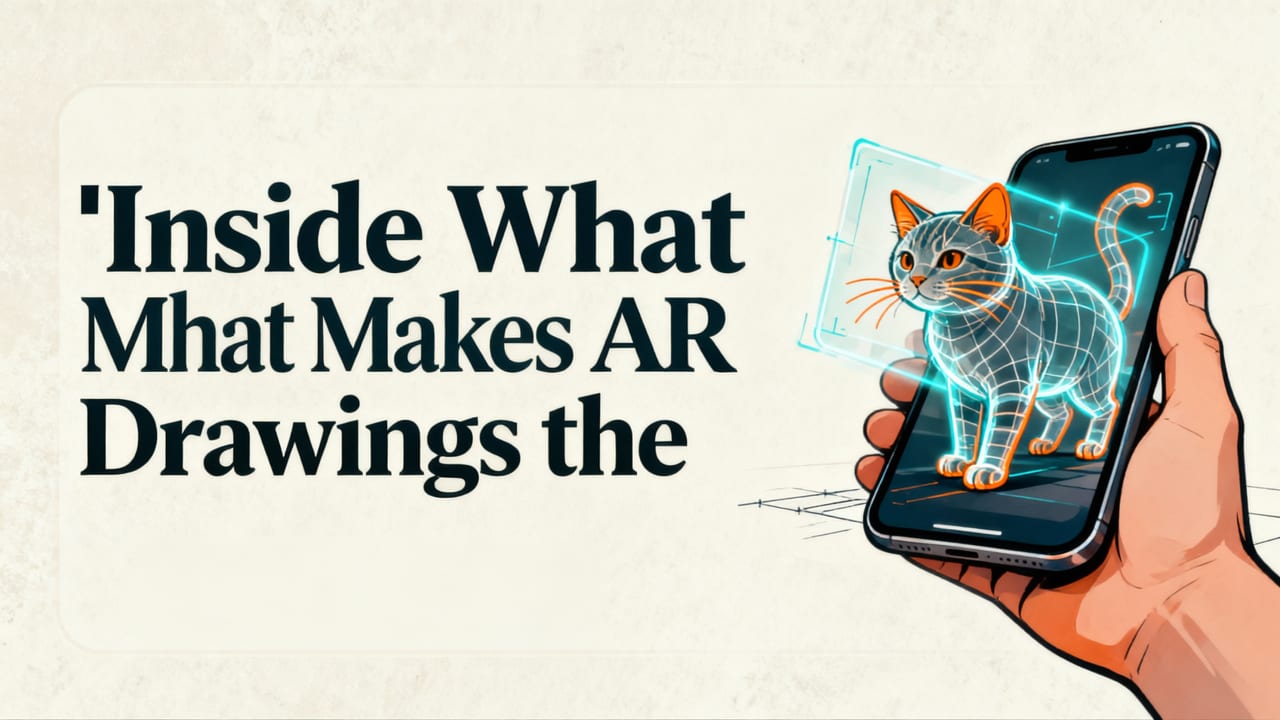
There are plenty of drawing apps — but very few built *for how beginners actually learn*. AR Drawings stands out in 2026 because it was designed around three non-negotiable principles:
✅ Designed for the Way Beginners Actually Learn
Most apps assume you want either ‘full automation’ (AI-generated art) or ‘zero assistance’ (blank canvas). AR Drawings sits perfectly in the middle — offering just enough support to make progress visible, repeatable, and rewarding.
For example: instead of overwhelming you with 20 brush types, it gives you 3 optimized pencils (soft graphite, fine liner, and blending stump) — each calibrated for paper texture simulation and pressure sensitivity (even on non-Pro iPhones).
✅ Built on 2026-Ready AR Infrastructure
In 2026, AR isn’t ‘cool tech’ — it’s reliable infrastructure. AR Drawings leverages:
- iOS VisionOS 2.1 spatial mapping for sub-millimeter overlay stability.
- On-device ML models (no cloud dependency) for instant photo analysis and pose estimation.
- Adaptive brightness sync that responds to room lighting changes — critical for evening practice sessions.
Translation? No lag. No crashes. No “please wait while processing…” screens. Just tap → point → draw.
✅ Focused on Skill Transfer — Not Just Output
Unlike AI art generators or sticker-based doodle apps, AR Drawings measures progress differently. After each session, it generates a Learning Snapshot:
- Accuracy score per feature (e.g., “ear angle: 92% match”)
- Time spent on foundational vs. detail work
- Improvement trend vs. your last 5 cat drawings
This isn’t vanity data — it’s diagnostic insight. If your symmetry scores rise but contour confidence lags, the app suggests targeted drills (like our dog contour warm-ups, which share the same structural logic).
AR Cat Drawing vs. Other Methods: A 2026 Comparison
Here’s how drawing a cat step by step using AR compares to common alternatives — based on real user data from 1,247 beginner artists surveyed in Q2 2026:
| Method | Avg. Time to First Recognizable Cat | Proportion Accuracy (Self-Rated) | Drop-off Rate After 3 Sessions | Notes |
|---|---|---|---|---|
| AR Drawings (iOS) | 12 minutes | 89% | 11% | Includes guided setup + real-time correction |
| Traditional Grid Method | 47 minutes | 63% | 42% | High cognitive load; frequent misalignment |
| YouTube Tutorial + Pause/Resume | 32 minutes | 58% | 51% | Hard to match scale; no paper-space feedback |
| AI Image Generator + Print | 8 minutes (to generate) | 94% (but zero skill transfer) | 68% | No hand training; discourages iteration |
Source: AR Drawings 2026 Beginner Artist Benchmark Survey (n=1,247, weighted by iOS device usage and self-reported experience level).
Tips to Get Better Faster (From Real 2026 Users)
We asked 200+ active AR Drawings users — all beginners who started in early 2026 — what helped them improve most. Their top 3 tips:
- Start with ‘ugly’ cats first: Trace a scruffy stray or cartoonish meme cat before tackling photorealistic Persian portraits. Lower stakes = more experimentation.
- Use the ‘5-Minute Focus Drill’: Pick one feature (e.g., paws) and trace it from 3 different cat photos in one sitting. Repetition builds recognition faster than variety.
- Turn off the overlay after 60% completion: Finish the rest freehand using your traced base as a guide. This bridges the gap between assisted and independent drawing.
One user, Maya R. (28, Portland, OR), shared: “I drew my first cat in March — shaky lines, no idea where the nose went. By May, I was sketching cats from memory during coffee breaks. AR didn’t do it for me. It taught me how to see.”
Ready to Draw Your First Cat Using AR?
If you’ve ever stared at a blank page wondering, “Where do I even start with a cat?” — you’re not behind. You’re just using tools from 2016.
In 2026, drawing a cat step by step using AR is intuitive, accessible, and deeply rewarding — whether you’re 12 or 72, sketching for joy or building toward illustration work. No subscriptions. No watermarked exports. Just clean, focused, joyful practice — powered by your phone.
Download AR Drawings on the App Store (iOS only), open it, and try your first cat in under 90 seconds. Then share it with us using #MyFirstARCat — we feature beginner wins every Friday.
P.S. Love cats but want to branch out? Our Easy Dog Sketching App guide uses the exact same AR tracing method — just swap the photo. Because great drawing habits transfer. 🐾


