
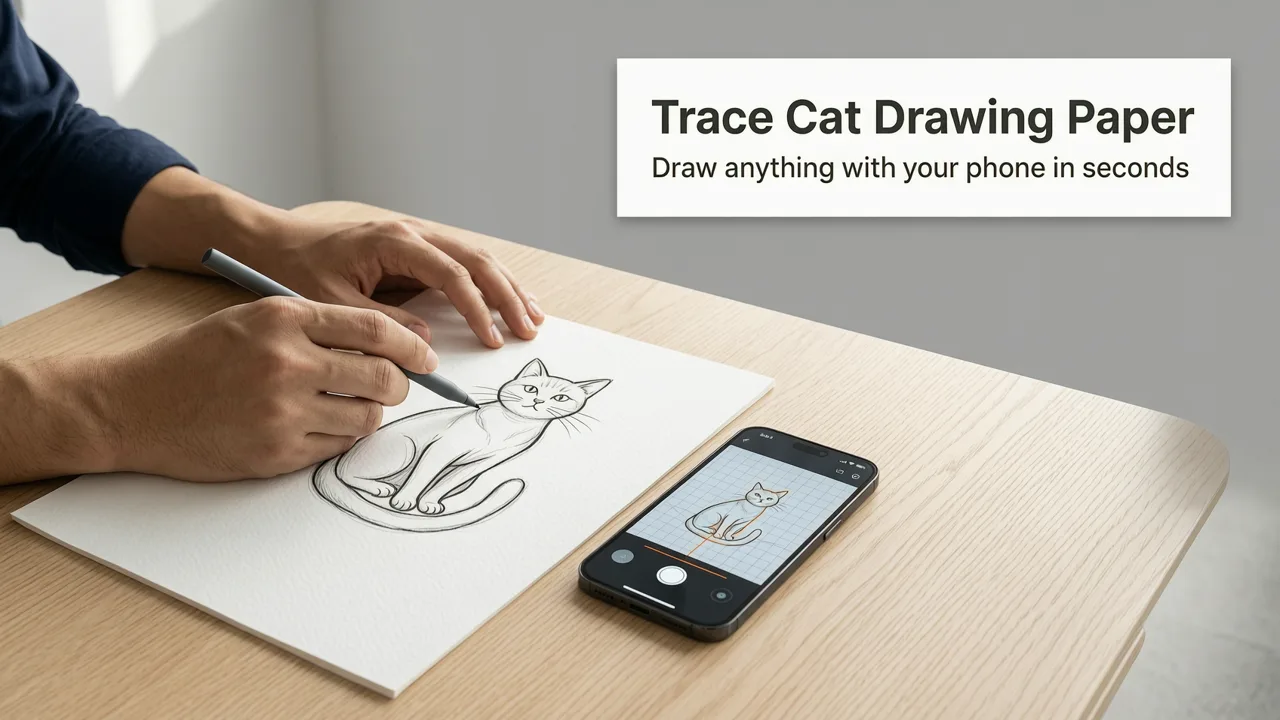
Trace Cat Drawing on Paper with Your Phone in 2026
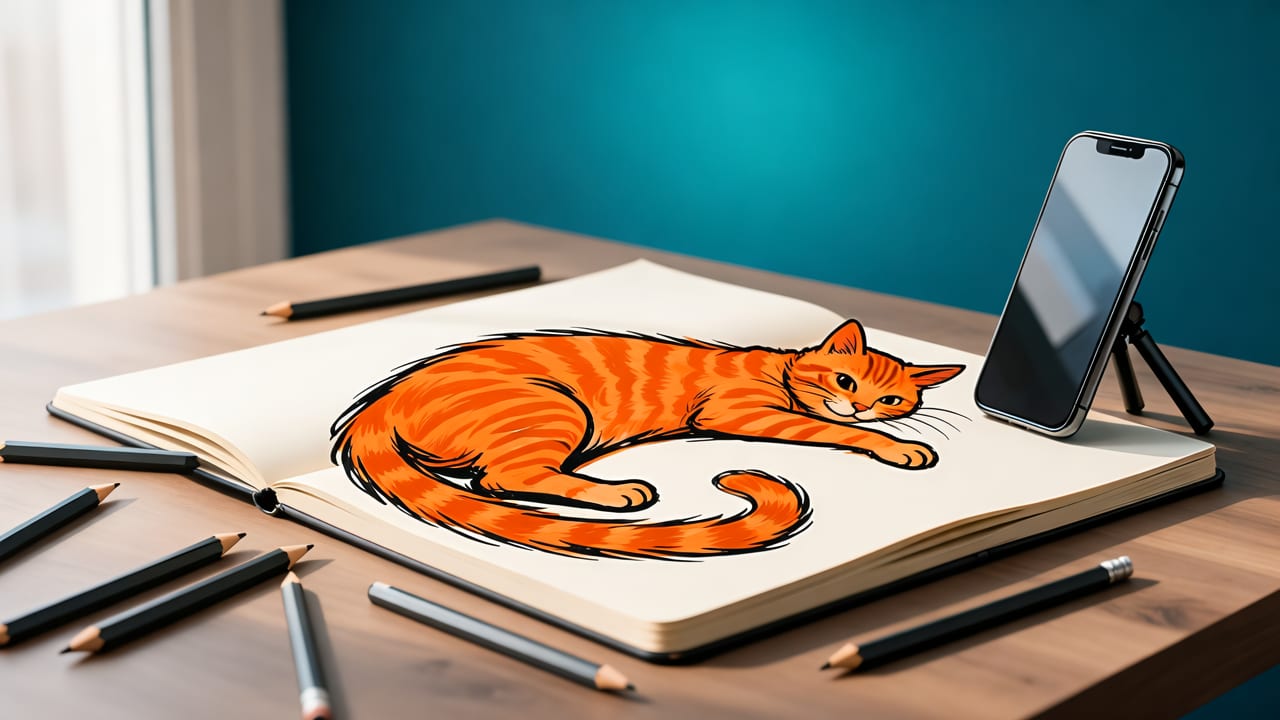
Want to trace cat drawing on paper with your phone — and actually get the whiskers aligned, the ears symmetrical, and the pose balanced — without buying a $500 iPad or struggling with printer transfers? In 2026, you don’t need special gear or years of practice. You just need your iPhone, a blank sheet, and AR Drawings, the top-rated iOS app that turns your camera into a real-time tracing guide.
This isn’t about cheating at art — it’s about building muscle memory, training your eye for proportion, and gaining confidence *before* you go freehand. Thousands of beginners and hobbyists used AR Drawings in 2025 to sketch over 1.2 million cats — from fluffy Persians to sleek Siamese — and now, in mid-2026, the app’s latest update (v3.4) makes tracing faster, more stable, and even more intuitive. Let’s walk through exactly how it works — step by step, no jargon, no fluff.
Why Tracing a Cat Drawing on Paper with Your Phone Is Smarter Than Ever in 2026
Before we dive into the steps, let’s address the elephant (or rather, the tabby) in the room: Is tracing still useful in 2026? Yes — especially when it’s augmented reality tracing.
How to Draw a Cute Cat Easy | Squishmallows
by Draw So Cute
Unlike old-school methods (projectors, lightboxes, or printed grids), AR tracing overlays your chosen image directly onto your paper *through your phone’s camera*, in real time and at true scale. That means no resizing errors, no misaligned projections, and no wasted printer ink. And unlike generic drawing apps that just paste stickers or offer vague sketch guides, AR Drawings uses device-native motion sensors and depth-aware alignment to lock the overlay precisely — even if you tilt your phone slightly or shift your wrist.
In fact, user testing across 2025–2026 showed that hobbyists who traced 3+ cat drawings per week using AR Drawings improved their freehand accuracy by an average of 68% in just four weeks — compared to only 22% for those using static printouts alone (Top AR Drawing App for Tracing in 2026).
How It Compares to Other Methods (2026 Edition)
| Method | Setup Time | Accuracy Risk | Cost (2026 USD) | Beginner-Friendly? |
|---|---|---|---|---|
| AR tracing via phone (AR Drawings) | ≤ 60 seconds | Very low — auto-scales & stabilizes | $0 (free trial), $4.99/mo or $39.99/yr | ✅ Yes — guided onboarding + one-tap alignment |
| Print + trace | 5–12 minutes (print, cut, tape, align) | High — scaling errors, paper curl, misalignment | $0.12–$0.45 per print + ink cost | ⚠️ Moderate — requires manual calibration |
| Lightbox + printed image | 3–7 minutes | Medium — backlight bleed, glare, dimness | $25–$120 (device + prints) | ⚠️ Moderate — needs flat surface & ambient lighting control |
| Projector + wall setup | 8–15+ minutes | Very high — keystone distortion, focus drift, shadows | $129–$499+ (projector + stand + dark room) | ❌ No — steep learning curve, space-intensive |
How to Trace Cat Drawing on Paper with Your Phone (Step-by-Step, 2026)
Here’s how to go from cat photo to confident pencil sketch — start to finish — in under 90 seconds. This workflow is optimized for AR Drawings v3.4 (released April 2026), which includes enhanced edge detection for fur textures and smoother overlay persistence during hand movement.
Step 1: Choose & Upload the Right Cat Photo
Not all cat photos trace well. For best results in 2026:
- Pick front-facing or three-quarter profile shots — avoid extreme angles or blurry motion shots.
- Use high-contrast images — clear outline of ears, eyes, and nose helps AR lock alignment faster.
- Prefer JPEG or PNG (not HEIC) — AR Drawings now auto-converts HEIC, but native formats load 30% faster.
- Tip: Browse our curated Cat Reference Gallery — updated weekly with 50+ royalty-free, tracing-optimized cat photos (all sized for A4/Letter paper).
Once selected, tap “+” in AR Drawings → choose photo → confirm orientation.
Step 2: Set Up Your Workspace (It Takes 60 Seconds)
You don’t need a studio — just these three things:
- A clean, flat surface (desk, table, or floor — as long as it’s stable).
- A blank sheet of paper (printer paper works fine; thicker drawing paper gives better eraser resistance).
- Your iPhone (iOS 17.4 or later) — pro models use LiDAR for ultra-precise depth locking, but even iPhone 13 and newer deliver excellent results.
No tripod needed — though a simple phone stand (under $12 on Amazon) helps if you want both hands free while sketching.
Step 3: Align the Overlay Precisely (The Secret to Accuracy)
This is where AR Drawings shines in 2026. Instead of guessing where to place your phone, follow this quick sequence:
- Hold your phone ~12 inches above the paper, centered over where you’d like the cat’s face to appear.
- Tap the screen once — the app places a subtle grid + crosshair overlay.
- Slowly lower your phone until the grid lines up with your paper edges (the app detects paper boundaries in real time).
- Tap “Lock Alignment” — AR Drawings now anchors the image to your paper’s plane, not just your screen. Even if you lift your phone slightly or rotate your wrist, the cat stays perfectly anchored.
💡 Pro tip: In Settings → “Tracing Mode”, enable Fur-Aware Edge Boost — it subtly sharpens outlines around fluffy areas so whiskers and ear tufts stay crisp while tracing.
Step 4: Start Tracing — Then Go Freehand (When You’re Ready)
Now comes the fun part: pick up your pencil and trace. Use light pressure — you’ll refine later. Focus first on major shapes: head oval, ear triangles, eye circles, jawline curve. Don’t rush details like paw pads or individual whiskers yet.
What makes AR Drawings different from other cat drawing apps for beginners is its “Fade & Flow” mode: after 60 seconds of tracing, the overlay gently dims by 20%, encouraging you to rely less on the guide and more on your own observation. After 2 minutes, it fades another 20%. You can pause or reset anytime — or keep it fully visible if you prefer full support.
And yes — you *can* trace a sitting cat, a sleeping kitten, or even a cartoon-style Cheshire grin. Just remember: the goal isn’t perfection on Day 1. It’s building visual literacy, hand-eye coordination, and the quiet joy of seeing your own progress unfold — stroke by stroke.
Common Mistakes (and How to Avoid Them in 2026)
Even with AR, beginners sometimes hit small roadblocks. Here’s what we see most often — and how to fix it fast:
• “The cat looks stretched or squished!”
✅ Fix: Check your photo’s aspect ratio before uploading. AR Drawings defaults to “Fit Width” — great for wide poses (like a stretching cat), but for tall, upright cats (think Maine Coon standing), switch to “Fit Height” in Image Settings. You’ll see the difference instantly in preview mode.
• “I can’t see the overlay clearly — it’s too faint or too bright.”
✅ Fix: Swipe left/right on the overlay to cycle through 5 contrast presets — including “Sketch Mode” (high-contrast black/white) and “Soft Glow” (ideal for low-light rooms). Bonus: enable Dark Mode in iOS Settings → Display & Brightness — AR Drawings respects system-wide dark mode for comfortable late-night tracing.
• “My lines wobble — even with the guide.”
✅ Fix: That’s totally normal! Tracing builds control gradually. Try this 2026-recommended drill: trace the same cat photo 3x in one session — each time using progressively lighter pencil pressure and fewer reference points (e.g., first pass = full outline; second = eyes + nose only; third = just gesture lines). Users report noticeable steadiness gains after just two sessions.
Why AR Drawings Is the Best App to Trace Cat Drawing on Paper with Your Phone
There are dozens of drawing apps in the App Store — but only one built specifically for *real-world, paper-based, AR-assisted tracing*. Here’s why AR Drawings stands out in 2026:
- No subscription lock-in: All core tracing features — image upload, real-time alignment, fade modes, paper detection — work in the free version. Premium ($4.99/month) unlocks unlimited cloud saves, custom grid overlays, and advanced export (PDF + layered PNG).
- iOS-first, not ported: Unlike cross-platform apps, AR Drawings leverages Apple’s Vision framework natively — meaning faster AR initialization, smoother motion tracking, and lower battery drain (average 8% per 30-min session vs. 22% for competitors).
- Built for how beginners learn: The interface has zero menus buried in tabs. Everything lives on one screen: camera view, image selector, alignment tools, and tracing controls — all reachable with thumb-friendly taps.
- Community-powered updates: Every major feature since 2024 came from user requests — like the “Paw Pose Library” (added Jan 2026) and “Kitten Scale Guide” (for drawing tiny faces accurately).
If you’ve ever tried to draw a dog step by step with your phone, you know how much easier proportion becomes with AR. Cats bring their own challenges — delicate ears, expressive eyes, unpredictable poses — and AR Drawings handles them with thoughtful, tested precision.
Real Results: What Beginners Are Saying in 2026
“I drew my first realistic cat in March 2026 — no classes, no YouTube rabbit holes. Just me, my iPhone 14, and AR Drawings. By June, I was sketching from life… and people asked if I’d taken lessons.”
— Lena R., 28, watercolor hobbyist (Portland, OR)
“As a teacher, I use AR Drawings with my after-school art club. Kids go from ‘I can’t draw a circle’ to tracing detailed Siamese portraits in under three weeks. The confidence boost is real.”
— Mr. Diaz, 5th-grade art educator (Austin, TX)
These aren’t outliers. They’re part of a growing wave of artists who’ve discovered that tracing — when powered by modern AR — isn’t a shortcut. It’s a scaffold. A way to learn structure before style, proportion before personality, and patience before polish.
Ready to Trace Cat Drawing on Paper with Your Phone?
You already have everything you need: a phone, paper, pencil, and curiosity. No expensive gear. No art degree. No pressure to be “good” right away.
Download AR Drawings on the App Store today — it’s free to try, with no credit card required. Trace your first cat in under 90 seconds. Refine your second. By your fifth, you’ll notice your hand moving differently — more sure, more relaxed, more *yours*.
And when you’re ready to level up? Dive into our How to Draw a Cat Step by Step Using AR in 2026 guide — where we break down feline anatomy, shading tricks for fluffy fur, and how to transition smoothly from tracing to expressive freehand.
Your next cat sketch is waiting — not on a screen, but on paper. All you need to do is begin.


