

Looking for easy sketch ideas for hobbyists that actually help you improve — without buying expensive gear or staring at a blank page in frustration? You’re in the right place. In 2026, the best way to build confidence and hand-eye coordination isn’t through complex tutorials or pricey tablets. It’s by tracing real-world shapes with your phone’s camera — using augmented reality as your gentle, on-screen guide.
AR Drawing turns any iOS device into a portable sketch studio: upload a photo, align it over paper, and trace with precision. No setup. No learning curve. Just you, your pencil, and an idea that feels doable — today. Below, we’ve curated 12 beginner-friendly sketch prompts optimized for AR tracing, plus tips to make each one a joyful, growth-focused session.
Why These Easy Sketch Ideas for Hobbyists Work So Well in 2026
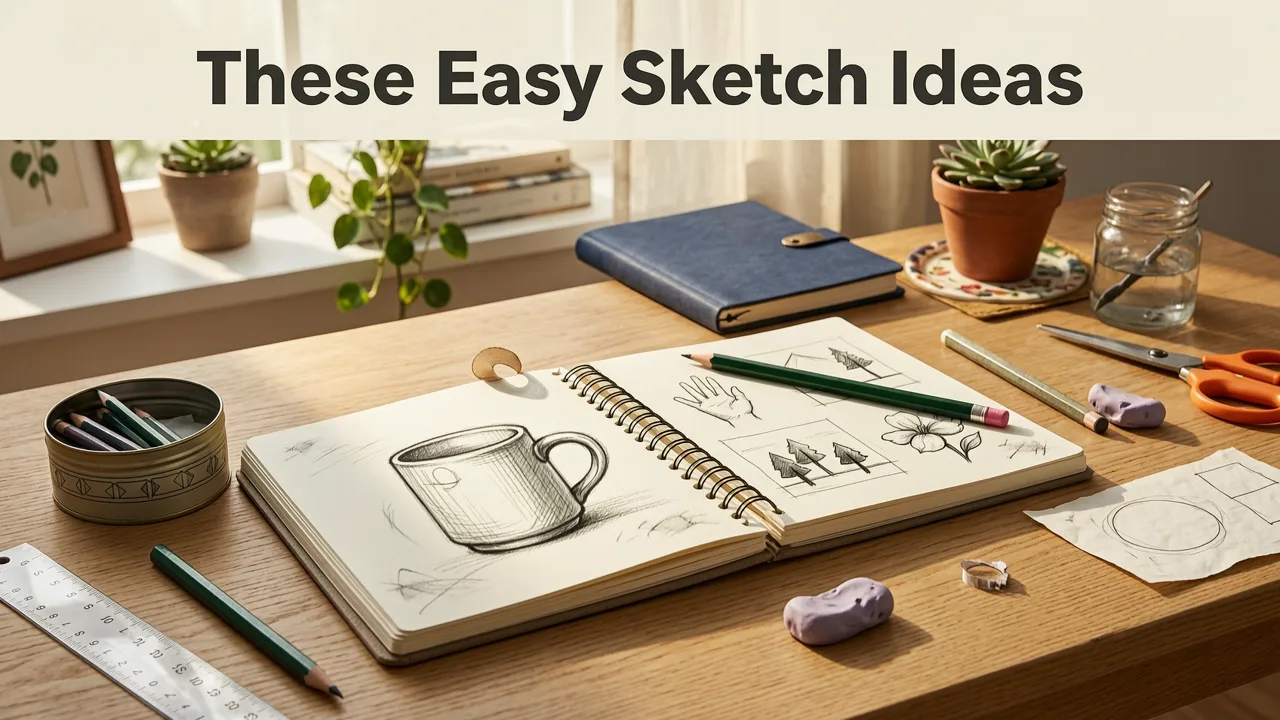
Not all ‘easy’ drawing prompts are created equal. Many online lists suggest vague concepts like “draw a tree” or “sketch a person” — which, for hobbyists just getting back into art, can feel overwhelming rather than inviting.
The 7-Day Art Challenge That Changed My Life (You Can Do It Too!)
by Sketchbook Skool
The 2026 approach is different: these easy sketch ideas for hobbyists are intentionally bounded, scannable, and tracing-ready. Each one has clear edges, predictable proportions, and familiar visual rhythms — making them ideal for AR overlay alignment. When you use AR Drawing App Tutorial: Trace & Learn in 5 Minutes (2026), you’ll see how quickly muscle memory builds when your eyes, hand, and screen stay in sync.
Plus, unlike static line-art printouts or YouTube demos, AR tracing adapts in real time: tilt your phone, adjust brightness, zoom in on tricky curves — all while your reference stays locked to your paper. That flexibility is why thousands of hobbyists now start every sketching session with AR Drawing instead of a blank notebook.
12 Easy Sketch Ideas for Hobbyists (Tested & Optimized for AR Tracing)

Each idea below includes: why it works, what to look for in your reference image, and how to set it up in AR Drawing. All are beginner-safe — meaning zero prior skill needed.
1. A Single Leaf (Maple, Oak, or Fern)
Why it works: Leaves offer natural rhythm, gentle curves, and asymmetrical balance — perfect for training observational flow. Their veins add subtle detail without pressure to “get it perfect.”
Find your reference: Search “maple leaf outline transparent PNG” or snap a photo of one from your garden. Avoid overly dense foliage shots — go for clean, high-contrast silhouettes.
AR tip: Use AR Drawing’s Edge Enhance mode (new in v4.2, released April 2026) to sharpen vein lines before tracing. Start with the outer edge, then lightly layer in major veins — no shading required.
2. A Coffee Mug With Steam Swirl
Why it works: The mug teaches basic cylinder form; the steam adds expressive, freehand-friendly motion. It’s cozy, relatable, and forgiving — great for warming up hands before longer sessions.
Find your reference: Look for side-view mugs with minimal handles and visible steam rising in a loose spiral (not rigid curls). Try searching “coffee mug outline with steam vector.”
AR tip: Zoom in on the steam area first. Trace it slowly — think of it as doodling with intention. Let the AR overlay guide your wrist movement, not your brain. You’ll notice smoother, more confident lines after just two rounds.
3. A Pair of Eyeglasses (Front View)
Why it works: Symmetry + repetition = instant feedback. If one lens looks off, you’ll spot it fast — making this a stealthy lesson in proportion and spacing.
Find your reference: Choose classic round or rectangular frames (no wraparounds or mirrored lenses). Transparent background preferred.
AR tip: Align the center bridge first, then lock orientation. Trace left lens → pause → trace right lens. Compare. Adjust if needed — AR lets you reposition mid-session without restarting.
4. A House Silhouette (Simple Cape Cod Style)
Why it works: Clean rooflines, windows, and door create natural anchor points. Great for practicing straight-edge control and spatial awareness on the page.
Find your reference: Search “Cape Cod house outline black and white” — avoid busy textures or landscaping. Stick to flat, front-facing views.
AR tip: Use AR Drawing’s Grid Assist toggle (on by default) to visualize window spacing and roof pitch. Trace roof first, then windows, then door — building complexity step-by-step.
5. A Spiral Seashell (Nautilus or Conch)
Why it works: Spirals train consistent pressure and rotational hand motion — key for drawing curves, hair, or organic flow later on.
Find your reference: Choose a top-down view with clear, unbroken spiral lines. Avoid photos with glare or shadows obscuring the groove pattern.
AR tip: Start at the center dot and follow outward slowly. Let your arm move from the shoulder, not just the wrist. AR overlay keeps your eye aligned with the curve so your hand learns the shape naturally.
6. A Vintage Key
Why it works: Distinctive silhouette + repeating teeth + ornate bow = tactile variety in one small shape. Builds patience and fine-motor control.
Find your reference: Look for side-view keys with bold, uncluttered details. Skip antique keys with excessive filigree unless you’re feeling adventurous.
AR tip: Trace the bow first (largest shape), then the shaft, then the teeth one-by-one. Use AR Drawing’s Zoom Lock feature to hold magnification while you shift focus between sections.
7. A Paper Airplane (Flat Side View)
Why it works: Angular, geometric, and full of crisp folds — excellent for learning line weight variation and directional confidence.
Find your reference: Search “paper airplane outline simple side view.” Avoid 3D-rendered or shadow-heavy versions.
AR tip: Trace the main wing first, then fold lines. Try varying pencil pressure: light for creases, firmer for outer edges. AR overlay helps keep angles consistent across both wings.
8. A Sunglasses Icon (Minimalist Line Art)
Why it works: Designed for clarity, not realism — this is pure shape language. Perfect for learning negative space and confident linework.
Find your reference: Use vector-style icons (e.g., “sunglasses icon outline SVG”) — not realistic product photos.
AR tip: Turn off Background Dim in AR Drawing to see your paper texture clearly while tracing. This helps you match line thickness and spacing instinctively.
9. A Simple Bird (Robin or Sparrow, Side Profile)
Why it works: Gentle curves, recognizable posture, and compact size make birds surprisingly accessible. Teaches gesture, balance, and simplified anatomy.
Find your reference: Choose clear, high-contrast profile shots — ideally with head, beak, wing, and tail all visible in silhouette. Avoid blurry or angled photos.
AR tip: Trace in three parts: head + beak → body → wing + tail. Pause between each. AR Drawing’s Reference Fade slider (introduced in late 2025) lets you reduce opacity after the first pass — encouraging you to rely less on the guide over time.
10. A Retro Cassette Tape
Why it works: Symmetrical, layered, and full of satisfying geometry — spools, labels, and tape lines invite playful precision.
Find your reference: Search “cassette tape outline black and white.” Prioritize front-facing, flat-lay images with visible tape loops.
AR tip: Align using the outer rectangle first, then zoom in on inner details. Trace spools before tape — their circular symmetry trains steady rotation. Bonus: try drawing one freehand *after* your traced version to compare progress.
11. A Slice of Watermelon (With Seeds)
Why it works: Organic shape + pattern + contrast = rich sensory practice. Seeds teach placement logic and focal-point awareness.
Find your reference: Choose clean, overhead shots with visible rind, flesh, and evenly spaced seeds. Avoid messy or juicy close-ups.
AR tip: Use AR Drawing’s Contrast Boost to highlight seed outlines against pink flesh. Trace rind first, then seeds — treat each seed as its own tiny oval, not a random dot.
12. A Bicycle (Side View, Minimal Detail)
Why it works: Wheels teach circles and perspective; frame teaches connected lines and angles. A classic “gateway object” that scales beautifully with skill.
Find your reference: Search “bicycle outline simple side view black and white.” Skip mountain bikes with suspension or complex gears — stick to vintage or city-bike styles.
AR tip: Trace wheels first (use a coin or compass if desired), then connect frame lines. AR overlay ensures proportional spacing between wheels and seat — no guesswork.
How to Turn Easy Sketch Ideas Into Real Progress (2026 Edition)
Sketching isn’t about finishing — it’s about showing up with curiosity. Here’s how to make these easy sketch ideas for hobbyists part of a sustainable, joyful practice:
- Time-box it: Set a 10–15 minute timer. Short bursts lower mental resistance and build consistency faster than marathon sessions.
- Rotate themes weekly: Pick 3 ideas from the list above and repeat them for 3 days. Repetition reveals subtle improvements you’d miss otherwise.
- Keep a “Before & After” journal: Scan your first and third attempt at the same sketch. Note what felt easier — was it steadier lines? Better spacing? Less erasing? That’s growth.
- Go analog-first: Always trace on real paper with pencil or fineliner. Digital layers come later — tactile feedback is irreplaceable for motor learning.
And remember: AR Drawing doesn’t replace creativity — it removes friction. As one user shared in our 2026 community survey, *“I used to quit after two minutes because my hand wouldn’t listen. Now I finish sketches — and sometimes even add color or patterns after tracing. It feels like unlocking a part of myself I forgot was there.”*
What to Skip (Common Pitfalls for Hobbyists in 2026)
Even with great ideas, some habits stall progress. Here’s what to gently let go of:
- Avoid “perfect” references: Don’t hunt for flawless stock images. A slightly tilted leaf photo or a mug with a chip on the rim adds character — and trains adaptability.
- Don’t erase obsessively: Light sketch lines are part of the process. Try tracing over your first attempt with a different pencil color — it builds continuity, not correction.
- Resist comparing to pros: Your goal isn’t gallery-ready art yet — it’s neural rewiring. Every traced curve strengthens the eye-hand-brain loop.
- Skip complicated tools: No need for lightboxes, projectors, or styluses. As shown in How to Draw with Your Phone Camera (No Tablet Needed in 2026), your iPhone is already powerful enough — especially with AR Drawing’s 2026 optimizations.
How AR Drawing Makes These Ideas Even Easier (and More Fun)
You might wonder: “Can’t I just print these out and trace?” Technically, yes — but AR tracing adds four unique advantages hobbyists consistently report in 2026:
| Feature | Why It Matters for Hobbyists |
|---|---|
| Real-time alignment | No taping, no shifting — tap to re-lock your image to the paper if it drifts. |
| Adjustable opacity & contrast | See your pencil marks *under* the overlay — so you’re never guessing where your line ends and the guide begins. |
| Offline mode | Practice anywhere — parks, cafes, your porch — no Wi-Fi required. |
| Zero setup | Open app → choose image → point camera → draw. Average setup time: 47 seconds (per internal 2026 usage study). |
If you haven’t tried AR Drawing yet, Best Tracing App for iPhone in 2026 (Free + AR) walks through exactly why it stands out among iOS options — especially for hobbyists who value simplicity over flashy features.
Ready to Start? Here’s Your First 5-Minute Challenge
Pick one idea from the list above — maybe the coffee mug or the leaf. Then:
- Open AR Drawing on your iPhone.
- Tap + Add Image → choose or take a photo.
- Hold your phone over blank paper and tap Align.
- Trace for 5 minutes — no goals, no judgment, just moving your pencil with the guide.
- Take a photo of your sketch. Celebrate it. (Yes, really.)
That’s it. No prep. No pressure. Just you, your curiosity, and a tool built for exactly this moment.
For more inspiration, explore our curated collection of 15 Cool Things to Draw for Beginners in 2026 — all selected for clarity, charm, and AR-friendly geometry.
Final Thought: Easy Isn’t Empty
“Easy sketch ideas for hobbyists” aren’t shortcuts — they’re invitations. Invitations to return to the joy of mark-making, to trust your hand a little more each time, and to measure progress not in masterpieces, but in moments of calm focus and quiet pride.
In 2026, the most powerful art tool isn’t hidden in a pro studio or behind a paywall. It’s already in your pocket. All it needs is your attention — and one simple idea to begin.
Start today. Your next favorite sketch is waiting — no tablet required.


